Wishlist

My Wishlist

    Product Quantity Stock status Added Date
Steelite Orange Coffee Cup Steelite Orange Coffee Cup
16 in stock July 30, 2026
Rectangular White Platter Rectangular White Platter
8 in stock July 30, 2026
Striped Christmas Napkin Striped Christmas Napkin
20 in stock July 30, 2026
Tan Gingham Napkin Tan Gingham Napkin
19 in stock July 30, 2026
Orange Danica Hemstitch Napkin Orange Danica Hemstitch Napkin
9 in stock July 30, 2026
MacKenzie-Childs Floral Mug MacKenzie-Childs Floral Mug
12 in stock July 30, 2026
Small Silver Plated Stag Serving Bowl Small Silver Plated Stag Serving Bowl
In Stock July 30, 2026
Faceted Lowball Faceted Lowball
11 in stock July 30, 2026
Silver Embroidery Napkin Silver Embroidery Napkin
29 in stock July 30, 2026
Amber Tea Cup Amber Tea Cup
12 in stock July 30, 2026
Light Blue Napkin Light Blue Napkin
4 in stock July 30, 2026
Barboglio Candelabra Barboglio Candelabra
4 in stock July 30, 2026
Glass Punch Cup Glass Punch Cup
11 in stock July 30, 2026
Lenox Winter Greetings Tea Cup Lenox Winter Greetings Tea Cup
22 in stock July 30, 2026
W Drink Napkin W Drink Napkin
4 in stock July 30, 2026
Deborah Rhodes Plaid Napkin Deborah Rhodes Plaid Napkin
25 in stock July 30, 2026
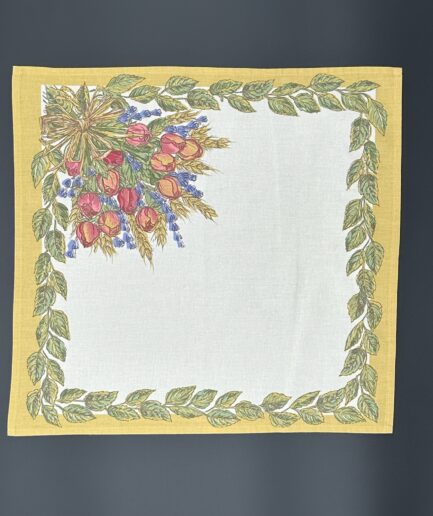
Rose Floral Napkin Rose Floral Napkin
1 in stock July 30, 2026
Placeholder Clear Glass Milk Bottles
39 in stock July 30, 2026

Instructions for sending Wishlist

  1. Click the “Mail” icon. This will automatically open the default email on your device and configure an email with your wishlist ready to send.
  2. Click the link icon. This will automatically copy the link for you to send. It is ready to paste into an email, text message, or application of your choice.
  3. Click the “Edit” link to make edits to your wishlist such as Naming, Description (optional) and privacy settings.